React
React revolutionized modern web development by making complex user interfaces composable, predictable, and maintainable. From startups to Fortune 500 companies, React powers the web applications that drive business value. This comprehensive reference covers everything from core concepts like components and state management to advanced patterns for performance optimization and server-side rendering,equipping your team to build scalable, production-ready applications that delight users and adapt to evolving requirements.
React Fundamentals
React's core concepts form the foundation of modern component-based UI development. The Virtual DOM enables blazingly fast updates by minimizing expensive browser operations, while components let you build complex interfaces from simple, reusable pieces. Props flow data down the component tree, state manages dynamic data that changes over time, and lifecycle methods (or hooks in modern React) coordinate side effects. Understanding these fundamentals is essential,they're the building blocks every React pattern and optimization builds upon.

Virtual DOM
Efficient UI Updates
Like a draft document: you make all your edits in a copy, then only update the original with the actual changes. React doesn't touch the browser DOM until it knows exactly what needs to change.
React creates a lightweight copy of the DOM in memory, compares old and new versions, and only updates what changed in the real DOM. This makes React blazingly fast.
- Reconciliation: Compares old and new virtual DOM trees
- Minimal updates: Only changed elements are updated
- Batching: Multiple updates are combined for efficiency
- Performance: Reduces expensive DOM operations

Components
Building Blocks of UI
Like LEGO blocks: each component is a reusable piece that can be combined with others to build complex UIs. You can use the same button component everywhere in your app.
Components are independent, reusable pieces of UI. They accept inputs (props) and return React elements describing what should appear on screen.
- Function components: Modern, simpler syntax with hooks
- Props: Data passed from parent to child
- Composition: Build complex UIs from simple components
- Reusability: Write once, use everywhere

State
Component Memory
Like a component's notebook: it remembers information between renders. When you toggle a dropdown, state remembers whether it's open or closed.
State is data that changes over time. When state updates, React re-renders the component to reflect the new state in the UI.
- Local to component: Each instance has its own state
- Triggers re-render: Updating state causes UI update
- Immutable: Always create new state, don't mutate
- Asynchronous: State updates may be batched

Props
Component Configuration
Like function parameters: you pass data into a component to configure how it looks or behaves. A Button component might receive a 'color' prop to determine its appearance.
Props (properties) are read-only inputs passed from parent to child components. They allow data to flow down the component tree.
- Unidirectional flow: Data flows down from parent to child
- Read-only: Components cannot modify their props
- Any data type: Pass strings, numbers, objects, functions
- Destructuring: Extract props easily in function parameters

One-Way Data Binding
Predictable Data Flow
Like a waterfall: data flows in one direction from top to bottom. Parent components pass data down to children through props, making it easy to trace where data comes from.
React uses unidirectional data flow. Data flows down from parent to child via props, while events flow up via callbacks.
- Predictable: Easy to understand data flow
- Debugging: Simpler to trace data changes
- Callbacks: Children communicate up via functions
- State lifting: Move state up to share between components

Component Lifecycle
Mount, Update, Unmount
Like a light bulb: it gets installed (mount), may flicker or dim (update), and eventually gets removed (unmount). React components go through similar phases.
Components have a lifecycle from creation to removal. With hooks, useEffect handles all lifecycle events (mount, update, unmount).
- Mounting: Component is added to the DOM
- Updating: Props or state change, component re-renders
- Unmounting: Component is removed from DOM
- useEffect: Modern way to handle lifecycle events
JSX
JSX is React's declarative syntax that looks like HTML but lives in JavaScript. It's syntactic sugar that compiles to React.createElement calls, letting you describe UI structure intuitively while maintaining the full power of JavaScript. JSX expressions can embed dynamic values, handle events, apply conditional logic, and render lists,all with type safety when combined with TypeScript. Mastering JSX transforms how you think about building UIs, making components both readable and maintainable.

JSX
JavaScript XML
Like HTML and JavaScript had a baby: you write HTML-like code directly in JavaScript. React transforms it into function calls that create elements.
JSX is a syntax extension that lets you write HTML-like code in JavaScript. It gets compiled to React.createElement() calls.
- Familiar syntax: Looks like HTML but more powerful
- JavaScript expressions: Use {} to embed JS code
- Type safety: Errors caught at compile time
- Component composition: Use components like HTML tags

JSX Expressions
Dynamic Content with {}
Like mail merge in a letter: you have a template with placeholders, and JavaScript fills in the actual values at runtime.
Use curly braces {} to embed any JavaScript expression in JSX. Variables, function calls, calculations,anything that returns a value.
- Variables: {name}, {count}, {isActive}
- Functions: {formatDate(date)}, {getName()}
- Calculations: {price * quantity}, {items.length}
- Conditional: {isLoggedIn ? 'Welcome' : 'Please log in'}

JSX Attributes
camelCase Convention
Like HTML attributes, but following JavaScript naming rules. 'class' becomes 'className', 'for' becomes 'htmlFor', and event handlers use camelCase like 'onClick'.
JSX uses camelCase for attributes because it's closer to JavaScript than HTML. Some attributes have different names to avoid JavaScript keywords.
- className: Instead of 'class' (JS keyword)
- htmlFor: Instead of 'for' (JS keyword)
- onClick, onChange: camelCase event handlers
- style object: {{color: 'red', fontSize: '16px'}}

Fragments
Group Without Extra DOM Nodes
Like a cardboard box for shipping: it groups items together for transport but you throw it away at the destination. Fragments group elements without adding an extra div to the DOM.
Fragments let you return multiple elements from a component without adding an extra wrapper element to the DOM.
- <React.Fragment>: Long form syntax
- <></>: Short syntax (most common)
- No DOM node: Doesn't create extra wrapper
- Key prop: Use long form when you need keys
React Hooks
Hooks revolutionized React by bringing state and lifecycle features to function components. useState and useEffect handle 90% of daily needs, while specialized hooks like useReducer, useContext, and useRef solve specific challenges elegantly. Performance hooks like useMemo and useCallback optimize expensive operations, and React 18 introduced concurrent hooks (useTransition, useDeferredValue) for keeping UIs responsive under load. Custom hooks let you extract and reuse stateful logic across components. Hooks made functional components the standard, retiring class components to legacy status.

useState
State Management
Like a sticky note on your desk: you write something on it (state) and can update it whenever needed. React remembers the value between renders.
useState adds state to function components. Returns current state value and a function to update it.
- Syntax: const [count, setCount] = useState(0)
- Initial value: Pass initial state as argument
- Update function: Call setter to update state
- Multiple states: Call useState multiple times

useEffect
Side Effects & Lifecycle
Like a personal assistant: when you enter a room (mount), it sets things up. When something changes (update), it adjusts. When you leave (unmount), it cleans up.
useEffect handles side effects: data fetching, subscriptions, timers, manually changing the DOM. Runs after render by default.
- After render: Runs after component updates DOM
- Dependencies: Array controls when effect runs
- Cleanup: Return function for cleanup logic
- Empty array []: Run once on mount (like componentDidMount)

useContext
Global State Access
Like a company-wide announcement: instead of passing a message person-to-person (prop drilling), you broadcast it and anyone can listen in.
useContext accesses context values without prop drilling. Pass data through component tree without manually passing props at every level.
- Create context: const MyContext = createContext()
- Provide value: <MyContext.Provider value={...}>
- Consume: const value = useContext(MyContext)
- Use cases: Theme, auth, language, global settings
useReducer
Complex State Logic
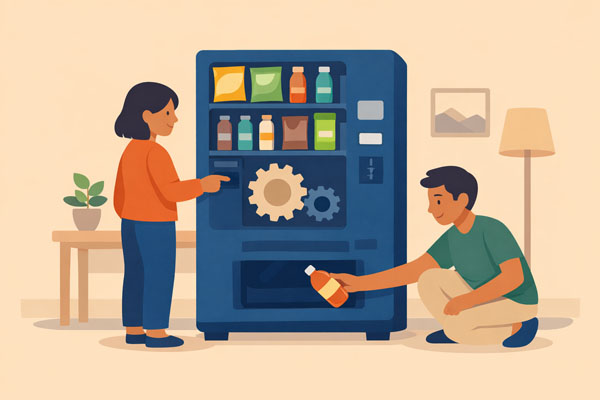
Like a vending machine: you send an action (button press), the reducer processes it according to rules, and returns new state (dispenses item).
useReducer manages complex state logic. Better than useState when state updates depend on previous state or involve multiple sub-values.
- Reducer function: (state, action) => newState
- Dispatch: Send actions to update state
- Predictable: Same action always produces same result
- Redux-like: Similar pattern to Redux but simpler

useRef
Persistent Reference
Like a backstage pass: it gives you direct access to something (DOM element or mutable value) that persists across renders but doesn't trigger re-renders when changed.
useRef creates a mutable reference that persists across renders. Commonly used to access DOM elements directly or store values that don't need to trigger re-renders.
- DOM access: Get reference to DOM element
- No re-render: Changing .current doesn't trigger render
- Persists: Value survives across renders
- Use cases: Focus management, timers, previous values

useMemo
Memoize Expensive Calculations
Like a calculator with memory: if you ask "what's 456 × 789?" and then ask again, it gives you the cached answer instead of recalculating.
useMemo caches the result of an expensive calculation. Only recalculates when dependencies change, improving performance.
- Performance: Avoid expensive recalculations
- Dependencies: Recalculate only when deps change
- Returns value: Memoizes the result itself
- Use sparingly: Only for genuinely expensive operations

useCallback
Memoize Functions
Like reusing the same remote control: instead of getting a new remote every time (new function reference), you keep using the same one until batteries need changing (deps change).
useCallback returns a memoized callback function. Prevents creating new function instances on every render, useful when passing callbacks to optimized child components.
- Returns function: Memoizes the function itself
- Referential equality: Same function reference
- Child optimization: Prevents unnecessary child re-renders
- Dependencies: Function recreated only when deps change

Custom Hooks
Reusable Logic
Like creating your own tool: you combine basic tools (built-in hooks) into a custom tool that solves a specific problem, then reuse it across projects.
Custom hooks let you extract component logic into reusable functions. Must start with 'use' and can call other hooks.
- Naming: Must start with 'use' (e.g., useForm, useFetch)
- Reusability: Share stateful logic between components
- Composition: Combine multiple built-in hooks
- Clean code: Extract complex logic from components

useTransition
Mark Non-Urgent Updates
Like marking an email as "low priority": the update will happen, but React can interrupt it to handle more urgent user interactions first.
useTransition lets you mark certain state updates as transitions (non-urgent), keeping the UI responsive during expensive renders.
- startTransition: Wrap non-urgent updates
- isPending: Boolean indicating if transition is active
- Keeps UI responsive: User interactions not blocked
- Use case: Filtering large lists, expensive calculations

useDeferredValue
Debounce with React
Like typing in a search box: instead of searching on every keystroke, wait a bit and use the slightly-delayed value to avoid unnecessary work.
useDeferredValue lets you defer updating a part of the UI. It's like debouncing but integrated with React's rendering model.
- Deferred value: Lags behind the actual value
- Performance: Reduces expensive re-renders
- Search filtering: Defer filtering while typing
- Automatic: React manages the timing

useId
Generate Unique IDs
Like getting a unique ticket number: useId generates a stable, unique identifier that's the same on both server and client for accessibility attributes.
useId generates unique IDs that are stable across server and client, perfect for accessibility attributes like aria-describedby and htmlFor.
- Accessibility: Link labels to inputs with unique IDs
- SSR-safe: Same ID on server and client
- Unique: No collisions across components
- Use case: Form fields, aria attributes

useSyncExternalStore
Subscribe to External Data
Like subscribing to a news feed: your component stays in sync with external data sources (browser APIs, third-party stores) that React doesn't control.
useSyncExternalStore lets you subscribe to external data sources in a way that's safe with concurrent rendering. Used by library authors.
- External stores: Subscribe to non-React stores
- Concurrent-safe: Works with React 18 concurrency
- Browser APIs: window.navigator, media queries
- Library use: For state management libraries
React Router
React Router is the de facto standard for client-side routing in React applications. It enables navigation between views without full page reloads, creating the seamless single-page application experience users expect. Dynamic routes handle URL parameters, nested routes mirror component hierarchies, and programmatic navigation responds to user actions. Route guards protect authenticated pages, lazy loading splits code by route, and the latest version (v6) introduced simpler APIs with improved TypeScript support and better relative routing. Every production React app needs routing,React Router delivers it reliably.

BrowserRouter
Client-Side Routing
Like a GPS in your car: as you navigate, the GPS updates the display without restarting. React Router updates the view without page reloads.
BrowserRouter enables navigation between different components/pages in a single-page application without full page reloads.
- Single Page App: Navigate without page reloads
- URL synchronization: Browser back/forward work
- BrowserRouter: Wrap your app in this component
- History API: Uses HTML5 history for clean URLs

Routes & Route
Define Navigation Paths
Like a restaurant menu: each item (route) points to a specific dish (component). When you order (navigate), the kitchen (React) serves that dish.
Routes component contains all your Route definitions. Each Route maps a URL path to a component to render.
- Path matching: URL path matches component
- Route element: Component to render for that path
- Nested routes: Routes within routes for layouts
- Index route: Default child route at parent path

Link & NavLink
Navigation Components
Like hyperlinks that know better: instead of making the browser reload the page, they tell React Router to swap components intelligently.
Link and NavLink components enable navigation without page reloads. NavLink adds active styling for the current route.
- Link: Basic navigation between routes
- NavLink: Link with active state styling
- No reload: Client-side navigation only
- Accessibility: Proper anchor tag semantics

URL Parameters
Dynamic Route Segments
Like a library catalog system: '/books/:id' works for any book. The ':id' is a placeholder that captures the actual book number from the URL.
URL parameters allow dynamic route segments. Access them with useParams hook to build dynamic pages based on URL.
- Define: /users/:id in route path
- Access: const { id } = useParams()
- Multiple params: /posts/:category/:id
- Use cases: Blog posts, user profiles, product pages

Programmatic Navigation
Navigate in Code
Like an automatic door: instead of clicking a button (Link), the system decides to navigate based on logic,like redirecting after successful login.
Navigate programmatically using useNavigate hook. Useful for redirects after form submission, authentication, or other logic.
- useNavigate: Hook returns navigate function
- Push navigation: navigate('/path')
- Replace: navigate('/path', {replace: true})
- Go back: navigate(-1) for browser back

Protected Routes
Authentication Guard
Like a bouncer at a club: checks if you're on the list (authenticated) before letting you in. If not, redirects you to the entrance (login page).
Protected routes restrict access based on authentication or authorization. Redirect unauthenticated users to login page.
- Wrapper component: Check auth status before rendering
- Redirect: Navigate to login if not authenticated
- Context/Redux: Access global auth state
- Role-based: Can check user roles/permissions
Forms & User Input
Forms are the bridge between users and your application's data layer. React offers two approaches: controlled components where React state drives input values (predictable but verbose), and uncontrolled components using refs (simpler but less controllable). Libraries like Formik, React Hook Form, and Zod handle validation, submission, and error messaging elegantly at scale. File uploads, multi-step wizards, and real-time validation all have established patterns. Getting forms right impacts user experience directly,smooth form interactions feel professional, while clunky ones drive users away.

Controlled Components
React Controls the Input
Like a puppet on strings: React state controls the input value, and user input updates that state. React is always the single source of truth.
Form elements whose value is controlled by React state. Input value comes from state, changes handled by setState, making React the "single source of truth."
- Value from state: input value={state}
- onChange handler: Update state on input change
- Single source of truth: React state owns the data
- Validation: Easy to validate before updating state

Form Submission
Handle Submit Events
Like a checkout process: gather all the form data, validate it, prevent the default page reload, and send it where it needs to go.
Handle form submission with onSubmit event. Prevent default behavior to avoid page reload and process data with JavaScript.
- onSubmit: Handle form submission event
- preventDefault: Stop default page reload
- Validation: Check data before submission
- API calls: Send data to backend

Form Validation
Validate User Input
Like a spell checker: as you type or before submission, it checks if your input follows the rules and shows helpful error messages.
Validate form data to ensure data quality. Can validate on change (real-time), on blur (after leaving field), or on submit.
- Client-side: Immediate feedback to user
- Error state: Store validation errors in state
- Display errors: Show messages near invalid fields
- Libraries: Formik, React Hook Form simplify this

Uncontrolled Components
DOM Controls the Input
Like a suggestion box: the DOM handles the input, and you only read the value when needed (like when form is submitted) using a ref.
Form elements that store their own state in the DOM. Use refs to access values only when needed, typically on form submit.
- Ref access: Use useRef to get input reference
- DOM stores value: No React state needed
- Less code: Simpler for basic forms
- When to use: File uploads, quick forms, integration
Styling Approaches
React offers multiple styling philosophies, each with distinct tradeoffs. CSS Modules scope styles to components, preventing naming collisions while maintaining traditional CSS workflows. CSS-in-JS libraries like styled-components and Emotion colocate styles with components, enabling dynamic styling based on props and automatic critical CSS extraction. Utility-first frameworks like Tailwind prioritize composition over custom classes, dramatically speeding up development at the cost of verbose className strings. Traditional CSS/Sass still works for teams preferring separation of concerns. The choice impacts team productivity, bundle size, runtime performance, and developer experience. Most modern apps combine approaches: Tailwind for layouts, CSS Modules for complex components, inline styles for truly dynamic values.

CSS Modules
Scoped Styles
Like assigning lockers: each component gets its own style namespace. A 'button' class in one component won't clash with 'button' in another.
CSS Modules automatically scope CSS to components. Class names are made unique at build time, preventing global namespace pollution.
- File naming: ComponentName.module.css
- Import: import styles from './Button.module.css'
- Usage: className={styles.button}
- No conflicts: Scoped to component automatically

Inline Styles
JavaScript Objects
Like custom paint: mix your colors (styles) right there in JavaScript. Good for dynamic styles but limited for complex styling needs.
Define styles as JavaScript objects. Useful for dynamic styles that change based on state or props, but limited (no pseudo-classes, media queries).
- Object syntax: {{color: 'red', fontSize: '16px'}}
- camelCase properties: backgroundColor not background-color
- Dynamic: Easy to compute styles from state
- Limitations: No pseudo-classes or media queries

Styled Components
CSS-in-JS
Like a tailor: creates custom-styled components where the styling is built right into the component definition, not separate files.
Popular CSS-in-JS library. Write actual CSS syntax in JavaScript template literals. Creates styled components with scoped styles.
- Template literals: Write CSS in JS with tagged templates
- Props access: Style based on component props
- Full CSS: Pseudo-classes, media queries, animations
- Dynamic: Conditional styling with props

Tailwind CSS
Utility-First CSS
Like building with LEGO instructions: use small utility classes (bricks) to compose your design directly in JSX, no separate CSS files needed.
Utility-first CSS framework. Apply pre-built utility classes directly in JSX. Fast development, consistent design, and tiny production builds.
- Utility classes: text-blue-500, p-4, flex, rounded-lg
- No context switching: Style directly in JSX
- Responsive: sm:, md:, lg: prefixes for breakpoints
- Tree-shaking: Only used classes in production
Performance & Optimization
React applications start fast but can slow down as complexity grows. React.memo prevents unnecessary re-renders by memoizing components, code splitting loads only what's needed, and lazy loading defers non-critical resources. The React DevTools Profiler identifies bottlenecks, virtualization handles massive lists efficiently, and Web Workers offload heavy computation. React 18's concurrent features (Suspense, transitions) keep UIs responsive during expensive operations. Performance optimization is often premature,measure first, then optimize the proven bottlenecks. But when needed, these techniques deliver dramatic improvements that users notice immediately.

React.memo
Component Memoization
Like a photo copier with memory: if asked to copy the same document twice in a row, it just gives you the previous copy instead of scanning again.
Higher-order component that memoizes a component. Only re-renders if props change, preventing unnecessary renders when parent re-renders.
- Wrap component: export default React.memo(MyComponent)
- Shallow comparison: Compares props by reference
- Custom comparison: Provide second argument for custom logic
- Use when: Component renders often with same props

Code Splitting & Lazy Loading
Load Components on Demand
Like streaming a movie: instead of downloading the entire film before watching, you load chunks as needed. React.lazy loads components only when needed.
React.lazy and Suspense enable code splitting. Components are loaded on demand, reducing initial bundle size and improving load time.
- React.lazy: const Component = lazy(() => import('./Component'))
- Suspense: Wrap with <Suspense fallback={...}>
- Route-based: Excellent for splitting by routes
- Bundle size: Dramatically reduces initial load

Key Prop
List Item Identity
Like seat numbers at a theater: when people shift seats, the usher uses seat numbers to track who's where. React uses keys to track list items efficiently.
Keys help React identify which items in a list have changed, been added, or removed. Critical for efficient list rendering and maintaining component state.
- Unique identifier: Use stable, unique ID for each item
- Reconciliation: Helps React track changes efficiently
- Avoid index: Don't use array index if list can reorder
- State preservation: Maintains component state during reorders

Error Boundaries
Catch Component Errors
Like a safety net: catches errors in child components so the entire app doesn't crash. Shows fallback UI instead of white screen.
Error boundaries catch JavaScript errors in their child component tree, log them, and display fallback UI instead of crashing the entire app.
- Class component: Must use class (no hook version yet)
- Lifecycle: componentDidCatch and getDerivedStateFromError
- Graceful degradation: Show error message instead of crash
- Granular boundaries: Wrap different parts independently

Concurrent Rendering
Interruptible Rendering
Like a chef who can pause cooking one dish to handle an urgent order, then resume. React can interrupt less urgent updates to handle high-priority ones first.
React 18's concurrent features allow React to work on multiple state updates simultaneously and prioritize urgent updates over less important ones.
- Prioritization: Urgent updates processed first
- Interruptible: Can pause and resume rendering
- Background updates: Non-urgent work happens in background
- Automatic batching: Multiple setState calls batched automatically

Automatic Batching
Batch All Updates
Like grouping errands: instead of multiple trips to the store, React batches all state updates together into one re-render, even in async functions and event handlers.
React 18 automatically batches all state updates, even those in promises, setTimeout, or native event handlers. Previously only batched in React event handlers.
- Performance: Fewer re-renders automatically
- Everywhere: Works in async functions, timeouts, promises
- Opt-out: Use flushSync() if needed
- Backward compatible: Existing code gets faster

Accessibility (a11y)
Build Inclusive Apps
Like building a ramp alongside stairs: accessible design helps everyone, not just those who need it. Screen readers, keyboard navigation, and ARIA attributes make apps usable for all.
Accessibility ensures your React app works for everyone, including users with disabilities. Use semantic HTML, ARIA attributes, and keyboard navigation.
- Semantic HTML: Use proper elements (button, nav, main)
- ARIA attributes: aria-label, aria-describedby, role
- Keyboard navigation: All interactions accessible via keyboard
- Focus management: Control and indicate focus properly
Testing
Testing React components ensures your application works as intended and catches regressions before users do. React Testing Library promotes testing from the user's perspective,queries mimic how users interact with your app, leading to tests that break less when implementation details change. Jest provides the test runner and assertion library, while tools like Cypress and Playwright handle end-to-end testing. Mock API responses with MSW, test custom hooks with specialized utilities, and measure coverage to find gaps. Good tests document behavior, enable confident refactoring, and save far more time debugging than they cost to write.

Jest
Testing Framework
Like a quality control inspector: tests your code to ensure it works as expected. Comes with React by default in Create React App.
Jest is a JavaScript testing framework with zero config. Provides test runner, assertion library, mocking, and coverage reporting.
- Test runner: Finds and executes test files
- Assertions: expect(value).toBe(), toEqual(), etc.
- Mocking: Mock functions, modules, timers
- Snapshots: Capture and compare component output

React Testing Library
User-Centric Testing
Like testing from a user's perspective: instead of checking internal state, you interact with the UI as a user would,clicking buttons, typing text, reading what's displayed.
Testing library that encourages testing components from the user's perspective. Query by text users see, not implementation details.
- Render: render(<Component />) to virtual DOM
- Queries: getByText, getByRole, getByTestId
- User events: fireEvent.click(), userEvent.type()
- Best practices: Test behavior, not implementation

Snapshot Testing
Detect Unexpected Changes
Like taking a reference photo: first test creates a "snapshot" of component output. Future tests compare against it to catch unintended changes.
Snapshot tests capture the rendered output of a component and store it. Future test runs compare against the stored snapshot to detect changes.
- First run: Creates snapshot file
- Subsequent runs: Compare against saved snapshot
- Update: Press 'u' to update snapshot if change is intentional
- Use cases: Catch UI regressions, document expected output

End-to-End Testing
Full User Journey
Like test driving a car: you don't just check individual parts, you drive it through real-world scenarios from start to finish.
E2E tests simulate real user scenarios in a real browser. Tools like Cypress, Playwright test the entire application flow from user's perspective.
- Real browser: Tests in actual browser environment
- User flows: Complete scenarios like login → browse → checkout
- Tools: Cypress, Playwright, Puppeteer
- Confidence: Highest confidence that app works end-to-end
Build & Deployment
Getting React apps from development to production involves bundling, optimization, and deployment configuration. Vite and Create React App provide zero-config starting points, while Webpack offers maximum control for custom builds. Environment variables separate dev/staging/production configs, source maps aid debugging, and tree shaking eliminates unused code. CDNs accelerate delivery globally, CI/CD pipelines automate testing and deployment, and platforms like Vercel and Netlify simplify hosting with automatic preview deployments. Modern build tools handle most complexity automatically, but understanding the pipeline helps troubleshoot issues and optimize bundle sizes for faster load times.

Create React App
Zero-Config Setup
Like a move-in ready apartment: everything is set up and configured. Just run one command and start coding without worrying about webpack, babel, etc.
Official tool for creating React apps with zero configuration. Sets up development environment with webpack, Babel, ESLint, and more.
- Command: npx create-react-app my-app
- Dev server: Hot reloading, fast refresh
- Build: Optimized production build with npm run build
- Eject: Can eject for full control (one-way operation)

Vite
Lightning-Fast Build Tool
Like an express checkout lane: much faster than traditional build tools. Uses native ES modules and esbuild for instant server start and hot module replacement.
Modern build tool that's significantly faster than Create React App. Instant server start, fast HMR, optimized production builds.
- Command: npm create vite@latest my-app -- --template react
- Instant start: No bundling in development
- Fast HMR: Hot Module Replacement that stays fast
- Optimized builds: Rollup for production

Next.js
React Framework with SSR
Like a restaurant with table service: the server (Next.js) prepares your meal (HTML) before bringing it to you, unlike a buffet (SPA) where you serve yourself.
React framework with server-side rendering, static site generation, API routes, file-based routing, and more. Production-ready out of the box.
- SSR & SSG: Server-side rendering and static generation
- File-based routing: pages/ folder maps to routes
- API routes: Build backend API in same project
- Automatic optimization: Code splitting, image optimization

Environment Variables
Configuration Management
Like having different keys for different buildings: your dev key (API URL) differs from production. Environment variables let you switch configurations easily.
Store configuration like API URLs, keys in environment variables. Different values for development, staging, production environments.
- CRA: REACT_APP_ prefix required
- Vite: VITE_ prefix, accessed via import.meta.env
- .env files: .env, .env.local, .env.production
- Security: Never commit secrets, use .env.local
Context API
Context solves prop drilling by providing a way to share values across the component tree without passing props through every level. It's perfect for truly global data like themes, authentication status, and language preferences. Create a context with createContext, provide values with a Provider component, and consume values with useContext. However, context isn't a full state management solution,updates cause all consumers to re-render, which can hurt performance with frequent changes. For complex state logic or frequent updates, dedicated state management libraries often perform better. Use context for infrequent updates to truly global data.

Context API
Global State Without Props
Like a radio broadcast: instead of passing messages person-to-person (prop drilling), you broadcast once and anyone tuned in can receive it.
Context provides a way to pass data through the component tree without having to pass props down manually at every level.
- createContext: Create a context object
- Provider: Provide value to tree
- Consumer: Subscribe to context changes
- Avoid prop drilling: Share data across many components

Context Provider
Provide Context Values
Like a WiFi router: it provides internet (context value) to all devices (components) within range (under the Provider in the tree).
The Provider component accepts a value prop and makes it available to all descendant components that subscribe to this context.
- Value prop: Data to share with consumers
- Scope: Only descendants can access the value
- Multiple providers: Nest different contexts
- Re-render: Consumers re-render when value changes

Context Patterns
Best Practices
Like organizing a filing system: split context by concern (auth, theme, data), create custom hooks for easy access, and optimize to prevent unnecessary re-renders.
Common patterns include splitting context by domain, creating custom hooks for access, and optimizing with useMemo to prevent unnecessary re-renders.
- Split contexts: Separate auth, theme, user data
- Custom hooks: useAuth(), useTheme() for easy access
- Optimize: Memoize context value with useMemo
- Default values: Provide sensible defaults
Advanced Patterns
React's flexibility enables powerful composition patterns that solve complex problems elegantly. Higher-Order Components wrap components to inject props and behavior, Render Props share code through function props, and Compound Components create flexible, coordinated component APIs. Controlled vs. uncontrolled patterns offer different tradeoffs for form inputs, while container/presentational separation keeps components focused. Error boundaries catch JavaScript errors anywhere in the component tree, preventing entire app crashes. These patterns aren't needed daily but become invaluable when building reusable component libraries or solving challenging architectural problems. They represent accumulated wisdom from years of React development.

Higher Order Components
Reusable Component Logic
Like a decorator on a Christmas tree: a HOC wraps a component and enhances it with additional props or behavior without changing the original component.
A HOC is a function that takes a component and returns a new component with enhanced functionality. Common before hooks, still useful for certain patterns.
- Function: Takes component, returns enhanced component
- Reusable logic: Share behavior across components
- Examples: withAuth, withLoading, withRouter
- Modern alternative: Custom hooks often preferred

Render Props
Share Logic via Function Props
Like a template with blanks to fill in: the component provides data and behavior, while you provide the render function that decides how to display it.
Render props is a technique for sharing code using a prop whose value is a function. The component calls this function to determine what to render.
- Function as prop: Pass render function as prop
- Inversion of control: Parent decides what to render
- Examples: <Mouse render={mouse => ...}/>
- Modern alternative: Custom hooks often cleaner

Compound Components
Related Components Working Together
Like a TV and remote: they work together but are separate pieces. Select and Option, Accordion and AccordionItem work together through shared context.
Compound components share state implicitly through Context, allowing you to express relationships between components in a declarative way.
- Shared state: Parent and children share state via context
- Flexible API: Composable, declarative usage
- Examples: Select/Option, Tabs/Tab, Accordion
- Implicit props: Children get state without explicit props

Composition over Inheritance
React Philosophy
Like building with LEGO blocks: instead of extending base classes (inheritance), you combine small pieces (composition) to build complex UIs.
React recommends composition over inheritance. Use children prop and component composition to achieve reusability instead of class inheritance.
- Children prop: Pass components as children
- Containment: Wrapper components for layout
- Specialization: Specific versions of generic components
- No inheritance: React avoids class hierarchies

Portals
Render Outside Parent DOM
Like a popup window: even though the code is in your component, it renders somewhere else in the DOM tree (like body), escaping CSS overflow or z-index issues.
Portals provide a way to render children into a DOM node that exists outside the parent component's DOM hierarchy. Perfect for modals, tooltips, dropdowns.
- ReactDOM.createPortal: Render to different DOM node
- Event bubbling: Events still bubble through React tree
- Use cases: Modals, tooltips, notifications
- Escape overflow: Break out of parent constraints

Strict Mode
Development-Only Checks
Like a spell checker in development: catches potential problems by intentionally double-invoking functions and highlighting unsafe practices. Disabled in production.
StrictMode is a tool for highlighting potential problems in an application. It activates additional checks and warnings for its descendants.
- Double invocation: Components render twice to find bugs
- Warnings: Highlights unsafe lifecycle methods
- Development only: No impact on production build
- Future-proof: Helps prepare for React features
Refs & DOM Manipulation
Refs provide escape hatches for direct DOM access when React's declarative model isn't enough,focus management, animations, third-party integrations. While React prefers state and props for UI updates, refs let you imperatively manipulate DOM elements, store mutable values that don't trigger re-renders, or forward refs to child components. forwardRef enables component libraries to expose DOM nodes to parents. useImperativeHandle customizes the exposed ref interface. Portal rendering lets you break out of the component hierarchy for modals and tooltips. Understanding when to use refs vs state is crucial: use state for data that affects render output, refs for everything else that needs to persist across renders without causing updates.

forwardRef
Pass Refs Through Components
Like a mail forwarding service: when you move (wrap a component), you still want important mail (refs) to reach you. forwardRef forwards the ref to the inner element.
forwardRef lets your component expose a DOM node to parent components with a ref. Useful for reusable input components and libraries.
- Forward refs: Pass refs through custom components
- DOM access: Parent can access child's DOM node
- Input components: Forward ref to actual input element
- Second argument: Ref is second param after props

useImperativeHandle
Customize Ref Exposure
Like a TV remote: instead of giving access to all internal wiring, you expose only specific controls (play, pause, volume) that you want parents to use.
useImperativeHandle customizes the instance value that is exposed when using refs. Use with forwardRef to expose specific methods to parent components.
- Controlled exposure: Only expose specific methods
- Encapsulation: Hide internal implementation
- Use with forwardRef: Always paired together
- Example: Expose focus(), scrollToTop() methods

DOM Refs
Direct DOM Access
Like a backstage pass: refs give you direct access to DOM elements, bypassing React's usual declarative API when you need imperative control.
Use refs to access DOM nodes directly for focus management, text selection, media playback, animations, or integrating with non-React libraries.
- Focus management: input.current.focus()
- Measurements: Get element size and position
- Media control: Play, pause videos
- Third-party: Integrate with non-React libraries

Callback Refs
Function-Based Refs
Like a notification callback: instead of checking a mailbox (ref.current), you get called when something arrives (DOM node mounted/unmounted).
Callback refs are functions that React calls when the ref is set. Useful when you need to know when a ref is attached or detached.
- Function ref: ref={node => setNode(node)}
- Mount/unmount: Called with node or null
- More control: Run code when ref changes
- Measurements: Measure elements when mounted
State Management Libraries
As apps grow beyond a few components, prop drilling becomes unmaintainable and local state insufficient. Redux pioneered centralized state management with its single store, actions, and reducers pattern,though verbose, it's predictable and debuggable with excellent DevTools. Modern alternatives like Zustand and Jotai offer simpler APIs with less boilerplate while maintaining atomic state updates. Context API + useReducer works for medium apps without external dependencies. MobX provides observable state for those preferring mutable updates. The key is choosing based on team size, app complexity, and debugging requirements. Start simple with Context, graduate to Zustand for better performance, or adopt Redux when time-travel debugging and middleware become essential.

Redux & Redux Toolkit
Predictable State Container
Like a bank vault: all application state lives in one place (store), with strict rules (reducers) for how it can change, and a complete history of all transactions (actions).
Redux is a predictable state container with single store, actions, and reducers. Redux Toolkit is the modern, recommended way to use Redux.
- Single store: One source of truth for app state
- Immutable updates: State never mutated directly
- Redux Toolkit: Simplifies Redux with less boilerplate
- DevTools: Time-travel debugging, state inspection

Zustand
Minimal State Management
Like a lightweight backpack: carries exactly what you need without the bulk. Zustand provides simple, hook-based state management without the ceremony of Redux.
Zustand is a small, fast state management solution using hooks. No providers, no boilerplate, just a simple create() function and hooks.
- Minimal API: Simple create() and useStore()
- No providers: Use hooks directly anywhere
- TypeScript: Excellent TypeScript support
- Small bundle: ~1KB, no dependencies
Data Fetching
Fetching data from APIs is fundamental to modern web apps, but naive implementations lead to loading spinners, race conditions, and stale data. React Query (TanStack Query) and SWR revolutionized data fetching with automatic caching, background revalidation, and optimistic updates. They handle loading and error states, retry failed requests, and deduplicate simultaneous requests automatically. GraphQL clients like Apollo and Relay offer even more sophisticated caching for GraphQL APIs. The fetch API and axios provide lower-level control for custom needs. Modern data fetching libraries eliminate entire classes of bugs while improving user experience through instant data updates and background synchronization.

TanStack Query (React Query)
Powerful Data Synchronization
Like a smart cache manager: automatically fetches, caches, updates, and synchronizes server state. Refetches when data is stale, handles loading and error states automatically.
React Query manages server state with automatic caching, background updates, and pagination. Eliminates need for global state for server data.
- Auto caching: Automatically caches API responses
- Background refetch: Keeps data fresh automatically
- useQuery: Fetch and cache data with one hook
- useMutation: Create, update, delete operations

SWR
Stale-While-Revalidate
Like reading yesterday's newspaper while today's is being delivered: show cached data immediately (stale), then fetch fresh data in background (revalidate).
SWR is a lightweight data fetching library by Vercel. Name comes from HTTP cache invalidation strategy: stale-while-revalidate.
- Fast response: Show cache first, fetch in background
- Auto revalidation: Refetch on focus, reconnect, interval
- Simple API: Just useSWR(key, fetcher)
- Small bundle: Lighter than React Query

Apollo Client
GraphQL State Management
Like a smart assistant for GraphQL: handles fetching, caching, and updating GraphQL data. Ask for exactly what you need, and Apollo manages the rest.
Apollo Client is a comprehensive state management library for GraphQL. Handles fetching, caching, and updating application data with GraphQL queries.
- GraphQL: Built specifically for GraphQL APIs
- Normalized cache: Smart caching by ID
- useQuery hook: Fetch data with GraphQL queries
- useMutation hook: Modify data with mutations

Fetch Patterns
Best Practices
Like organizing a kitchen: have patterns for where things go (loading, data, error states), cleanup routines (abort controllers), and standard procedures (error handling).
Common patterns for data fetching include managing loading states, error handling, cleanup with AbortController, and avoiding race conditions.
- Loading states: Track loading, data, error states
- Cleanup: Use AbortController to cancel requests
- Race conditions: Ignore stale responses
- Error boundaries: Catch and display errors gracefully

Suspense
Declarative Loading States
Like a restaurant waiting area: while your table is being prepared (data loading), you wait in a comfortable space (fallback UI). Once ready, you're seated (component renders).
Suspense lets you declaratively specify loading states for any async operation. Wrap components that might suspend with a Suspense boundary that shows fallback content.
- Data fetching: Suspend while loading data
- Code splitting: Works with React.lazy for dynamic imports
- Fallback UI: Show loading spinner or skeleton
- Nested boundaries: Multiple Suspense at different levels
Server-Side Rendering
Server-Side Rendering (SSR) generates HTML on the server, delivering fully-rendered pages that improve perceived performance and SEO. Next.js pioneered modern React SSR with automatic code splitting, API routes, and hybrid rendering (static + dynamic). Remix focuses on progressive enhancement and web standards, while Gatsby specializes in static site generation. SSR solves the "blank page" problem of client-side apps and enables social media previews, but adds server complexity and hosting costs. Static Site Generation (SSG) pre-renders pages at build time for maximum speed, while Incremental Static Regeneration (ISR) combines static and dynamic benefits. Choose based on your content's freshness requirements and traffic patterns.

Server-Side Rendering (SSR)
Render on Server
Like a printed menu vs ordering online: SSR sends fully-rendered HTML immediately (print menu), while CSR builds the page in browser (online ordering).
SSR renders React components on the server and sends HTML to the client. Improves initial load time and SEO compared to client-side rendering.
- Fast first paint: HTML ready immediately
- SEO-friendly: Crawlers see full content
- Hydration: React takes over after initial render
- Frameworks: Next.js, Remix handle SSR for you

Hydration
Activate Server HTML
Like adding water to instant coffee: the structure (HTML) is there from the server, then React "hydrates" it by attaching event handlers and making it interactive.
Hydration is the process where React attaches event handlers to server-rendered HTML, making it interactive without re-rendering everything.
- Attach events: Add interactivity to static HTML
- No re-render: Reuses existing DOM nodes
- Mismatch errors: Server and client must match
- Selective hydration: React 18 hydrates in priority order

Static Site Generation (SSG)
Pre-render at Build Time
Like preparing frozen meals: cook everything once at meal prep time (build), then just reheat when needed (serve). Fastest possible delivery.
SSG generates HTML pages at build time. Pages are served as static files from CDN. Perfect for content that doesn't change often.
- Build-time: Generate HTML during build
- CDN delivery: Serve static files from edge
- Blazing fast: No server rendering needed
- Best for: Blogs, documentation, marketing sites

Incremental Static Regeneration (ISR)
Update Static Pages Incrementally
Like a news website that updates articles periodically: serves cached version for speed, but regenerates fresh version in background after defined interval.
ISR allows you to update static pages after build without rebuilding entire site. Regenerate pages on-demand or on a schedule.
- Best of both: Static speed with fresh content
- Revalidate: Regenerate after time interval
- On-demand: Manually trigger regeneration
- Next.js feature: Built into Next.js

Server Components
Zero-Bundle Components
Like a food delivery: the cooking (rendering) happens at the restaurant (server), and you only receive the finished meal (HTML), not the recipe and ingredients (JavaScript).
React Server Components render on the server and send only the resulting UI to the client, with zero JavaScript bundle cost. Still experimental but revolutionary.
- Zero bundle: Server components don't ship JS to client
- Direct DB access: Query databases directly in components
- Automatic code splitting: Client components loaded on demand
- Next.js 13+: App Router uses Server Components